- Home
- Services
Services
From a single technical decision to a finished product: an application your team or customers use, an automation that runs on its own, or systems that finally work together.
Custom business applications
Build internal platforms, dashboards, client portals, SaaS products, and mobile apps.
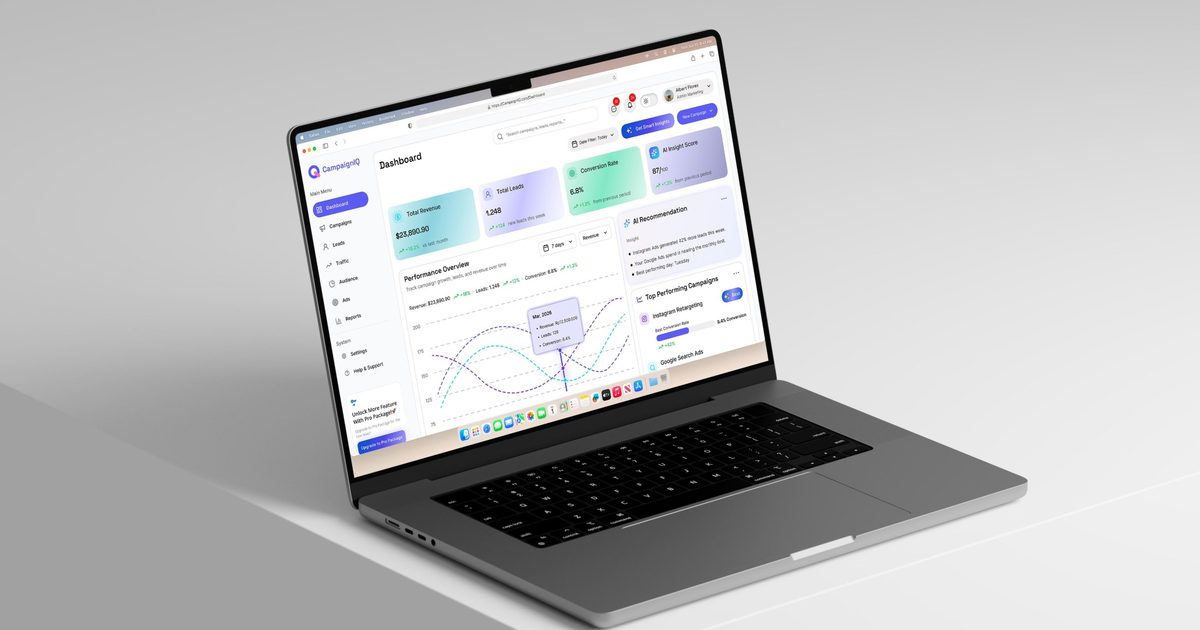
You know your business. You may not know, or want to know, what a framework, a database or a server is, and you shouldn't need to. I explain every decision in plain words, tell you what it means for time, cost and risk, and let you decide.
Whether you need an internal platform that replaces spreadsheets and long email chains, a dashboard that shows how the business is doing, a client portal, a SaaS product or a mobile app for iPhone and Android, I design it with you, build it, put it online and show you how to use it. You have one person to talk to, from the first idea to the day it goes live.
Experience behind it
Built a full company social network for a client on my own, with newsfeed, groups, events, shared files, forms, analytics and an installable mobile PWA, designed a staff-motivation platform from scratch, and builds and publishes mobile apps for iOS and Android, including Summit, a goal-tracking app.
You have a business, a process or a product idea that needs software, but you are not technical and you don't know where to start, who to trust or what to ask for.
What is included
- Internal platforms and tools that replace spreadsheets, paper and long email chains
- Dashboards and reports that show how your business is doing, in one place
- Client portals where your customers can sign in, follow their orders and exchange documents with you
- SaaS products that serve many customers, with accounts, subscriptions and payments
- Mobile apps for iPhone and Android, published on the App Store and Google Play
- Websites that present your business clearly and make it easy to contact you or buy, with SEO included when you need it
- Online payments, forms, emails and notifications
- Fast pages that work on phones, tablets and computers, including installable web apps (PWA)
- Hosting, security and backups set up for you, with training and simple documentation
- Solid technical work behind the scenes: tested, secure and ready to grow with you
Who it's for
- Business owners and teams who need software and are not technical
- Founders with a product idea, on the web, on mobile, or both
- Companies running on spreadsheets, paper or email, or with an old system that is slow, insecure or hard to change
How it works
- A first conversation in plain wordsYou tell me about your business, your customers and what you want to achieve. I ask questions and explain your options without jargon.
- A clear proposalBefore anything starts, you receive a simple description of what will be built, what it brings you, how long it takes and what it costs.
- Build with regular check-insI show you progress along the way. You try working versions on your computer or your own phone, and you give feedback on something you can click, not on technical documents.
- Launch and hand-overI put everything online, publish mobile apps on the stores, show you how to use it and stay available for questions after launch.
SEO, included when you need it
A good website is of little use if nobody finds it. SEO (search engine optimisation) is the work that helps people who search Google for what you offer to find you. I build it into the site from the start, and I can also improve an existing site.
- Research into the words your customers really use when they search
- Clear page titles, descriptions and structure that search engines understand
- Fast, mobile-friendly pages, which Google rewards
- Visibility in your region, for example through your Google Business Profile
- Content in several languages, set up so each visitor finds the right version
- Privacy-friendly analytics and a simple report of what works
SEO builds up over time, so I don't promise a position on Google. I make sure the foundations are right and tell you honestly what to expect.
Common questions
I'm not technical. Will I understand what you are doing?
Yes. I explain things in plain language and don't hide decisions behind technical terms. If something affects your budget, your timeline or your risk, you hear it from me first, in words you can act on.
What do I need to prepare?
Only your goals, your logo and texts if you have them, and examples of sites or apps you like. If the content is not ready, I can help you structure it.
How long does it take and what does it cost?
It depends on what you need: a simple website and a custom application are very different projects. After a short call I send a clear quote with scope and timeline, so there are no surprises.
Can I update it myself afterwards?
Yes. I set it up so you can change texts and images without a developer, and I show you how. For bigger changes or new features, I am available.
Do I need two separate apps for iPhone and Android?
No. I build one app that works on both iPhone and Android, and I take care of submitting it to both stores. It feels like any other app on the phone, not like a website in a frame.
Do you also do SEO?
Yes. Basic SEO is part of how I build every site, and I can go further when search visibility matters for your business: keyword research, local search, multilingual setup and tracking.
Which technologies do you use? (for the curious)
I pick the tools that fit your project, and you never need to know the details. What matters is that the result is reliable, secure and easy to maintain.
Can you take over or modernise an existing application?
Yes. I have refactored legacy codebases and migrated applications between framework versions to improve security and maintainability, and I can also improve an app that is already in the stores.
Want to know what your project would cost? Get in touch and I'll prepare a quote.
Ask for a quoteAI automation & workflows
Automate repetitive work with AI workflows, pipelines and agents.

Every business has work that repeats: reading emails, sorting requests, copying data, writing the same kind of report. AI is useful when it takes over a specific job like this. I start from your daily work, find the steps that are repetitive, slow or error-prone, and build an automation that does them reliably, with checks along the way and a person making the final call where it matters.
Depending on the job, that can be a simple workflow that connects your tools, a pipeline that gathers and prepares your data, an assistant connected to your own documents, or a team of AI agents that works through a task step by step. I explain what it does in plain terms, and you can always see what it did and why.
Experience behind it
Built a multi-agent workflow where specialised agents plan, research, design, code, test and review in parallel, raising productivity by 400%.
You have repeatable work, scattered data or a team that could move faster, and you want AI that does something concrete instead of a demo.
What is included
- Automation of repeatable work such as research, drafting, summaries, sorting, data entry and reporting
- AI workflows that connect your tools: a request arrives, AI reads it, the right task is created and the right person is told
- AI agent systems where each agent owns one step, with a manager agent coordinating and checks between steps
- Data pipelines, for example with Airflow, that import, group, clean and prepare your data on a schedule
- LLM integrations: assistants and tools connected to your documents and systems
- AI-assisted workflows for development teams: planning, research, coding, testing and review
- Prompt engineering and AI-assisted code review
- Monitoring and human approval points, so you stay in control
Who it's for
- Teams with repetitive work that takes hours every week
- Companies with data spread across tools that nobody has time to clean up
- Software teams that want to ship faster without losing quality
How it works
- Find the right taskWe pick one concrete, measurable task where AI can help, instead of starting with a big vision.
- Build a small versionI build a working first version on a sample of your data, so you can judge it on real results.
- Add checks and controlI add review steps, limits and approval points, so mistakes are caught before they matter.
- Roll out and measureWe put it into daily use, measure the time saved and extend only what works.
What it can look like
- Weekly reports assembled from several sources and drafted for your review
- Incoming requests sorted, summarised and sent to the right person
- A development team where agents plan, build, test and review features in parallel, which is how I work myself
Common questions
What is the difference between automation, workflows and agents?
They are layers of the same idea. Automation is the goal: work that runs without anyone doing it by hand. A workflow is the fixed sequence of steps that gets it done. An agent is a step where AI reads, decides or writes something. I use the simplest of the three that does the job, and add AI only where it really helps.
What can an AI agent system do for my business?
It can take over repeatable work such as research, drafting, data preparation or review, with agents that each own one step and hand their results to the next.
Can I trust what the AI produces?
Not blindly, and the system is designed for that. Results go through checks, important decisions are approved by a person, and we test on real examples before going live.
Do you need access to my data?
I design automations around the data you already have. We agree on what is shared at the start, and I keep access to what the work needs.
Is my data safe?
We only share what the work needs, and I choose providers and settings with your data protection requirements in mind. For sensitive data we can discuss options such as running models in your own environment.
Do I need a lot of data?
No. Many useful systems work with the documents and data you already have. In the first call we see together whether what you have is enough.
Want to know what your project would cost? Get in touch and I'll prepare a quote.
Ask for a quoteAPIs & system integrations
Connect your ERP, CRM, accounting and booking systems with your internal software.
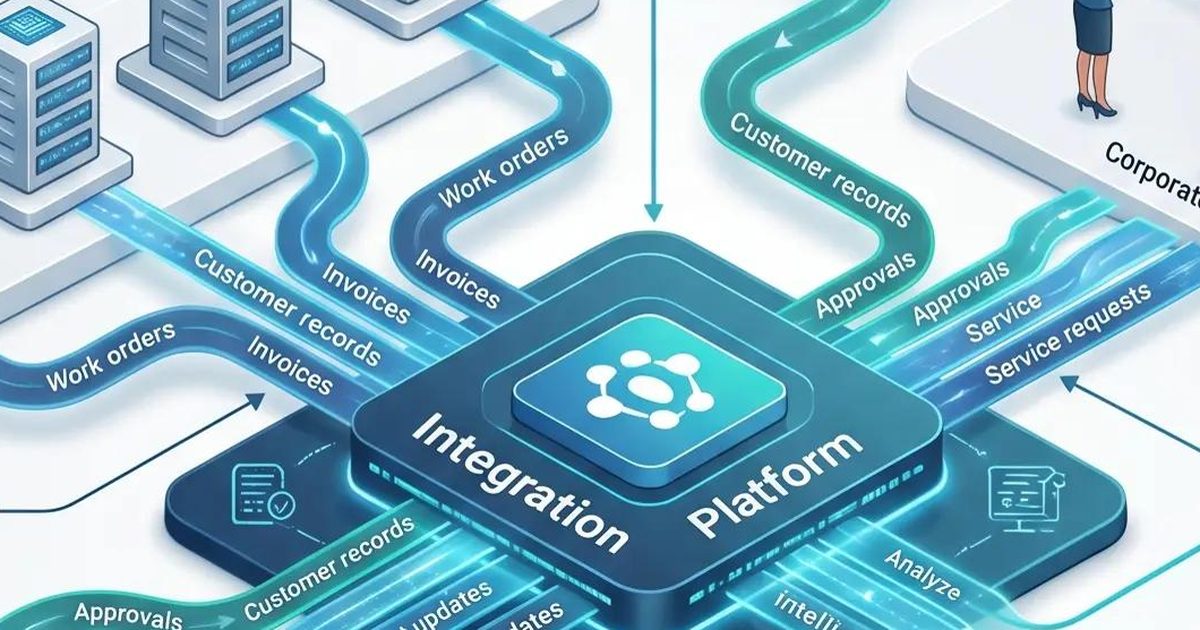
Most businesses run on several systems that do not talk to each other: a booking system, a till, accounting software, a CRM, a staff planner. People end up copying data by hand, the numbers do not match and the reports arrive late.
I connect these systems so that data flows on its own: bookings, sales, staff and customer records arrive where you need them, in the right format, without manual work. You keep the tools your team already knows, and they start working together.
Experience behind it
Integrated a multi-tenant HR platform with client systems including Europa-Park, Lightspeed, HSSoft and Apaleo (staff, cashier and reservation data), and built a resilient pipeline for long-running imports.
Your systems each hold part of the picture, and you spend time moving data between them or fixing the mistakes that come from doing it by hand.
What is included
- Connections between ERP, CRM, accounting, booking, cashier (POS) and staff-planning systems and your own software
- Automatic connections between your systems, so data updates automatically when something changes
- Data import, cleaning and grouping, with pipelines (for example with Airflow) that run on a schedule
- One common format for data coming from many different systems, so your reports and forecasts stay consistent
- Custom APIs, so your own software, partners or mobile apps can use your data safely
- Reliable processing with queues, retries and restartable jobs, so a slow or failing system never loses data
- Payments and third-party services integrated into your platform
- Monitoring and alerts, so you know when a connection stops working
Who it's for
- Businesses that use several tools that do not talk to each other
- Software products that must connect to their customers' own systems
- Teams that copy data by hand from one system to another
How it works
- Map your systemsWe list the systems you use, what data each one holds and where people still copy things by hand.
- Design the connectionsI decide how each system connects (a direct connection or a file) and what the common data format looks like.
- Build and test with real dataI build each connection separately and test it with your real data, so problems show up before launch.
- Run and monitorThe connections run on their own, with alerts if something needs attention, and I stay available to adjust them as your systems change.
What keeps connections reliable
Connections between systems break in small ways: a slow answer, a changed format, a temporary outage. I build for that from the start.
- Work runs on queues, so nothing waits on a slow system
- Temporary failures are retried automatically, with growing waits and a limit on attempts
- Each step is safe to run twice, so a retry never creates duplicates
- Limits per system prevent too many requests at once
- Long imports are done in small batches and continue where they stopped
- Alerts tell someone when a connection needs attention
Common questions
Which systems can you connect?
Any system that offers a way to connect or export its data. I have worked with staff, cashier and reservation systems, and in the first call I check what yours offers.
Do I need to replace my current software?
No. The point is to keep the tools your team already knows and make them work together.
What if a system has no API?
There is often still a way: file exports, scheduled imports or a connector. I tell you honestly what is possible and what it would involve before we start.
What happens when one system is down?
The work is queued and retried automatically, so data is not lost, and alerts tell someone when it needs attention.
Is my data safe when it moves between systems?
Only the data that is needed is moved, and each connection gets access to what it needs and nothing more. We agree on this at the start.
Want to know what your project would cost? Get in touch and I'll prepare a quote.
Ask for a quoteTechnical consulting
Get clarity on your architecture, your codebase or your next technical decision.

Before you spend months and budget on a build, or while something already built is slowing you down, a clear outside view saves a lot. I look at your architecture, your code or your plan with fresh, senior eyes and tell you what I see, in order of priority.
You get findings you can act on, not a long report that sits on a shelf. I can also stay on to help your team put the recommendations into practice.
Experience behind it
Led backend architecture and technical refinement on a multi-tenant platform, cut API response times by 50%, and mentored junior developers.
You are about to build something, or something already built is slow, fragile or hard to change. You need a senior second opinion before spending more.
What is included
- Architecture reviews and design of new systems
- Code audits: quality, security and maintainability
- Performance tuning of slow APIs, queries and pages
- Refinement of requirements: edge cases, risks and effort, before development starts
- Technology choices and build-or-buy decisions
- Migration and modernisation plans for ageing applications
- Mentoring and code reviews for your team
Who it's for
- Founders and managers about to start a build who want a second opinion first
- Teams whose application is slow, fragile or hard to change
- Companies without a senior engineer in-house
How it works
- A short callWe talk about your goal, your constraints and what worries you most.
- ReviewI go through your architecture, code or plan and note what is strong, what is risky and what is missing.
- FindingsYou receive clear findings ranked by importance, with recommended next steps and a rough effort for each.
- Support, if you want itI can stay to help your team make the changes, review their work or mentor them.
What you receive
- A prioritised list of findings in plain language
- Concrete recommendations, each with a rough effort
- A walkthrough call to answer your questions
Common questions
What does an engagement look like?
We start with a short call about your goal. I then review your architecture or code and send back clear findings and next steps. Scope and duration depend on your case.
I'm not technical. Can I still use consulting?
Yes, this is a common case. I translate technical findings into business terms: risk, cost and time.
Do you need access to our code?
For a code audit, yes. Read access to the repository is usually enough, I only look at what the review needs, and I am happy to sign a confidentiality agreement.
Can you work with my existing team?
Yes. I have led technical refinement, code reviews and mentoring in agile teams, and I like talking directly with the people who use the product.
Is it a one-off or ongoing?
Either. Many clients start with a single review, and some keep me on for regular check-ins or mentoring.
Want to know what your project would cost? Get in touch and I'll prepare a quote.
Ask for a quoteHow I work
The same five steps on every project, so you always know what happens next.
Requirements
I gather your goals, users, must-have features, budget and deadline.
Prototype
You see a clickable mockup or working prototype of the key screens early.
Approval
You review and sign off on the prototype, the scope and the timeline.
Development
I build in short iterations, with tests and regular demos along the way.
Delivery
I deploy, hand over documentation and access, and stay available after launch.
Have a project in mind?
Tell me what you want to build or fix. I reply within one business day.
Let's talk about your projectWant to know what your project would cost? Get in touch and I'll prepare a quote.